"This Switch Only Does 8 VLANs": The Myth That Cost Me a Netgear
A UI limit mistaken for a forwarding limit, a switch bought and returned within a week, and why measuring beats buying.
What happened
In the middle of the session-drop hunt (W02), I read that my Zyxel GS1200-8HP "only supports 8 VLANs". My segmentation plan called for roughly 30. That seemed to explain everything, so I bought a Netgear GS308E, migrated all the trunks, and re-tested.
The MISP session dropped on the Netgear too.
What "8 VLANs" actually meant
The limit people quote is about what the switch's management UI lets you define and configure, not how many 802.1Q tags it can forward across a trunk. For router-on-a-stick, where VyOS owns every sub-interface and the switch just carries tagged frames between the router and the hypervisors, the switch was never the bottleneck. tcpdump on the router showed tagged frames arriving correctly the whole time.
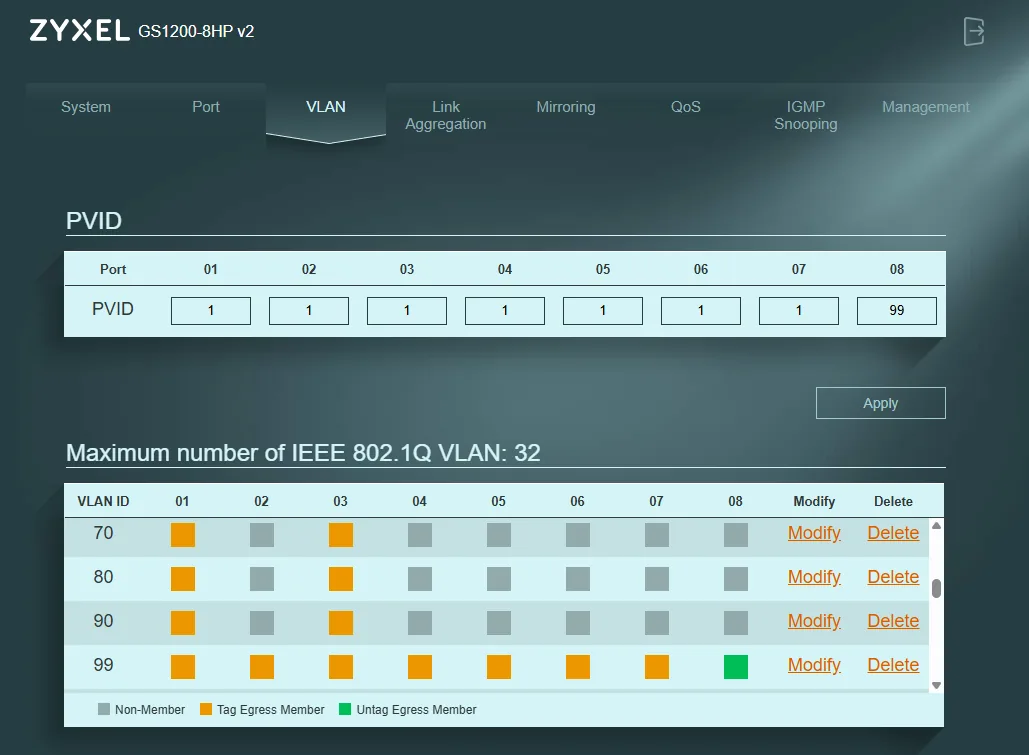
Migrating there and back
- Netgear setup: build every VLAN while the switch is still on its default address, then move it to the management address, so you never lock yourself out mid-change (lesson from W04)
- Keep the admin laptop's port on management only
- Rollback to the Zyxel: same port map, same PVIDs, trunks tagged, then verify reachability before touching anything else
What I'd buy when I actually outgrow it
When the lab needs per-VLAN counters, loop protection, broadcast storm control and a real CLI, the next step is an enterprise-style switch (something like a MikroTik CRS326-class device), not another desktop "easy smart" switch.
Lesson
Measure before you buy. A tcpdump showing correctly tagged frames would have saved the purchase.
Sources: Zyxel GS1200-8HP VLAN Support (14 Jan 2026), Zyxel Switch VLAN Limitations (15–20 Jan 2026)