The 60-Second SSH Drop, Part 2: Ruling Out the Client, the Native VLAN and the Switch
A test matrix that eliminated three SSH clients, keepalives, native-VLAN leakage, a bastion VLAN and two switch vendors, and pointed at the one path that never dropped.
TL;DR
After the rebuild (pfSense edge, VyOS core, managed switch, VLAN-aware Proxmox), sessions to VMs on every segment still dropped after 30–60 seconds. Only SSH to the VyOS router itself stayed up. I chased the client, keepalives, the native VLAN, a dedicated management VLAN with a bastion host, and finally the switch, which I replaced and then put back. None of it was the cause. This part covers the elimination process, because ruling things out is most of the job.
The pattern
| Test | Result |
|---|---|
| SSH / RDP to any VM, any segment | Connects, freezes or resets at 30–60 s (client_loop: send disconnect) |
| ICMP to the same VMs | Keeps working |
| SSH to the VyOS router | Rock solid |
| SSH through VyOS to a VM (jump) | Rock solid |
That last row was the real clue, and I didn't read it correctly until Part 3.
Theory 1 — It's the SSH client
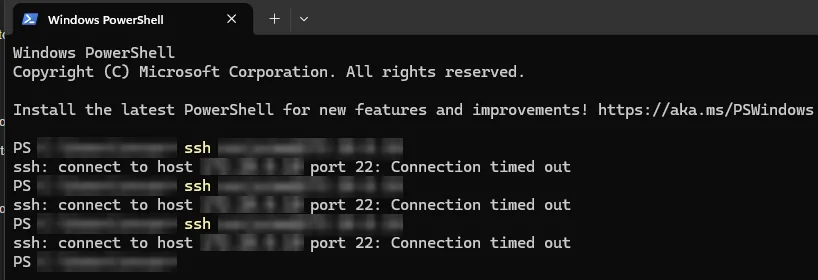
MobaXterm has its own keepalive quirks, so I tuned client and server keepalives. Then I tested with Windows' built-in OpenSSH from CMD and PowerShell. Same drop. Client ruled out.
Theory 2 — Native VLAN leakage
A classic cause of "TCP dies, ping lives" is untagged frames on a trunk landing in VLAN 1 and coming back asymmetrically at Layer 2. The plan was a dummy native VLAN (untagged on trunks, used nowhere) and every real VLAN tagged.
Trying it taught me something else. The Proxmox host's own management IP lived on the untagged bridge, so changing the trunk PVID cut the hypervisor off instantly. The host depended on the native VLAN. That's a real design smell, but it wasn't the drop.
Theory 3 — Build a proper management VLAN and a bastion
If the management plane is the problem, isolate it: a dedicated management VLAN, a hardened OpenBSD bastion inside it, and the hypervisors given tagged management interfaces. I built it. Sessions to the bastion dropped too. Sessions to VMs via the bastion still dropped. Only VyOS held.
Theory 4 — The switch can't handle my VLANs
I'd read (and been told) that the Zyxel "only supports 8 VLANs", and my plan called for ~30. So I bought a Netgear GS308E, migrated the trunks, and tested.
The MISP session dropped on the Netgear too.
The "8 VLANs" figure turned out to be a misreading of the web UI's limits, not the switch's forwarding capacity. I migrated back to the Zyxel the same week. → full story in W18
What was actually ruled out
- ❌ Client software (three different SSH clients)
- ❌ Keepalive settings
- ❌ Guest OS (Linux, Windows and OpenBSD all dropped)
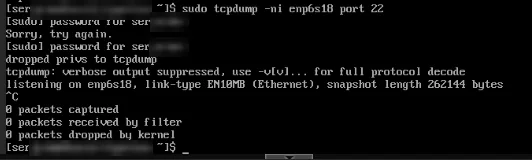
- ❌ VLAN membership and tagging at Layer 2 (verified with captures)
- ❌ Switch hardware (two vendors)
- ✅ Anything routed through VyOS survived
When the only thing that works is the path through the router, the problem is probably who else is in the path. → Part 3
Lessons
- Write the test matrix down. The answer was sitting in row four.
- A purchase isn't a test. Swapping hardware is the most expensive way to test a hypothesis.
- Don't let a design improvement pass as a fix. The management VLAN was a good idea, but it didn't fix anything here, so I removed it.
Sources: Move VMs to VLANs (4 Dec 2025), VyOS SSH Troubleshooting (5 Jan 2026), SSH RDP Session Drops (14 Jan 2026), Zyxel GS1200-8HP VLAN Support (14 Jan 2026), Zyxel Switch VLAN Limitations (15 Jan 2026)