Importing VulnHub OVAs and VMDKs into Proxmox
The import workflow for pre-built vulnerable machines: extract, import the disk, match the virtual hardware to the guest's era, isolate on the attack segment.
The problem
Proxmox's normal workflow is "upload an ISO, install an OS". VulnHub images ship as .ova, .ovf + .vmdk, or a bare .vmdk/.vhd: pre-installed disks built for VMware or VirtualBox. There's nothing to install. You import the disk.
Workflow
download → extract (an .ova is a tar) → copy disk to the victim node
→ create EMPTY VM → import disk → attach → BIOS/controller → NIC on attack segment → boot
# 1. extract
tar -xvf machine.ova # yields .ovf + .vmdk
# 2. copy to the victim hypervisor (use its IP if the name doesn't resolve from Windows)
scp machine-disk1.vmdk root@<victim-node>:/var/lib/vz/
# 3. empty VM: no media, no disk
qm create 200 --name metasploitable2 --memory 1024 \
--net0 virtio,bridge=<bridge>,tag=<attack-vlan>
# 4. import the disk; it lands as "unused0"
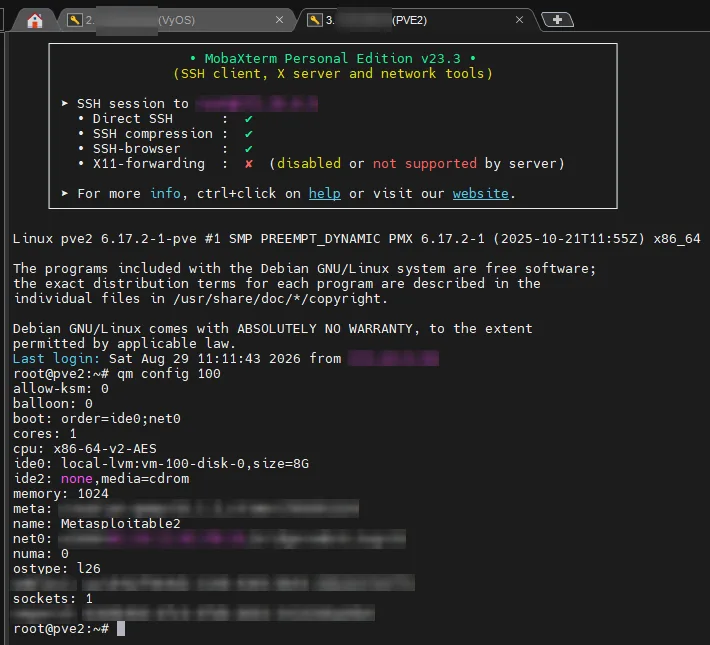
qm importdisk 200 /var/lib/vz/machine-disk1.vmdk local-lvmThen in the UI: attach unused0, set the boot order to that disk, and pick a controller the guest understands.
Old guests need old hardware
Many VulnHub boxes are ancient. If one won't boot or can't see its disk:
- SeaBIOS, not OVMF
- IDE or SATA instead of VirtIO SCSI
- e1000 NIC if the kernel has no virtio drivers
Networking gotcha
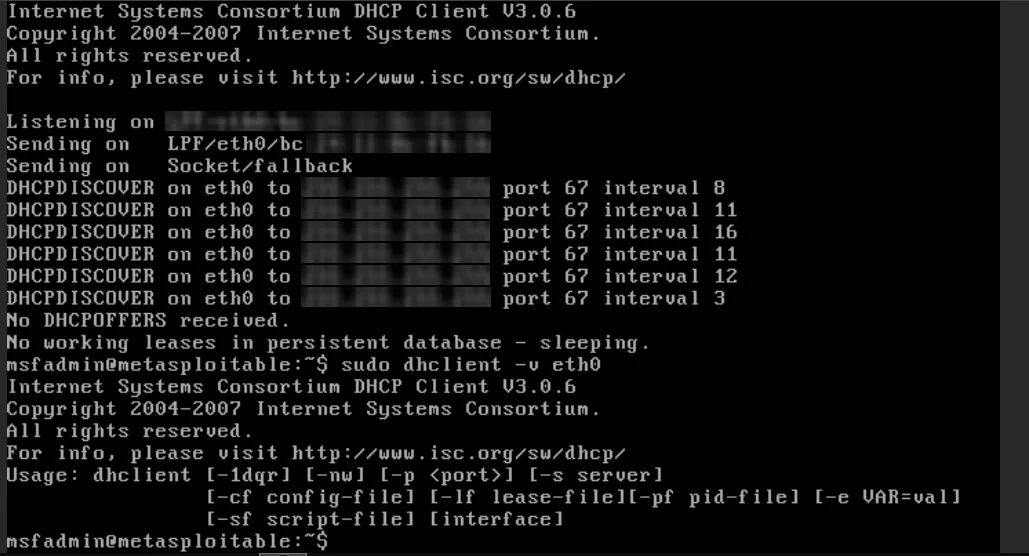
Metasploitable 2 booted fine but had no IPv4 address. The disk import was fine; the attack segment has no DHCP by design. Either give it a static address in /etc/network/interfaces, or run dhclient -v eth0 on a segment that does serve DHCP. (Its old ip doesn't support -br; use ifconfig.)
Lessons
- An OVA is just a tarball with a disk inside.
- Isolate first: every imported box goes on the attack segment, never on management.
- Match the virtual hardware to the guest's era.
Sources: Vulnerable VM Import Proxmox (25 Jan 2026), Proxmox VulnHub Setup (29 Aug 2026)