PowerEdge T320 Storage: PERC-Backed Bays and SMART Triage
Why AHCI doesn't expose the T320's front bays, how CyberDen's storage is laid out, and a checklist for triaging a SMART alert on a hypervisor SSD.
Front bays live behind the controller
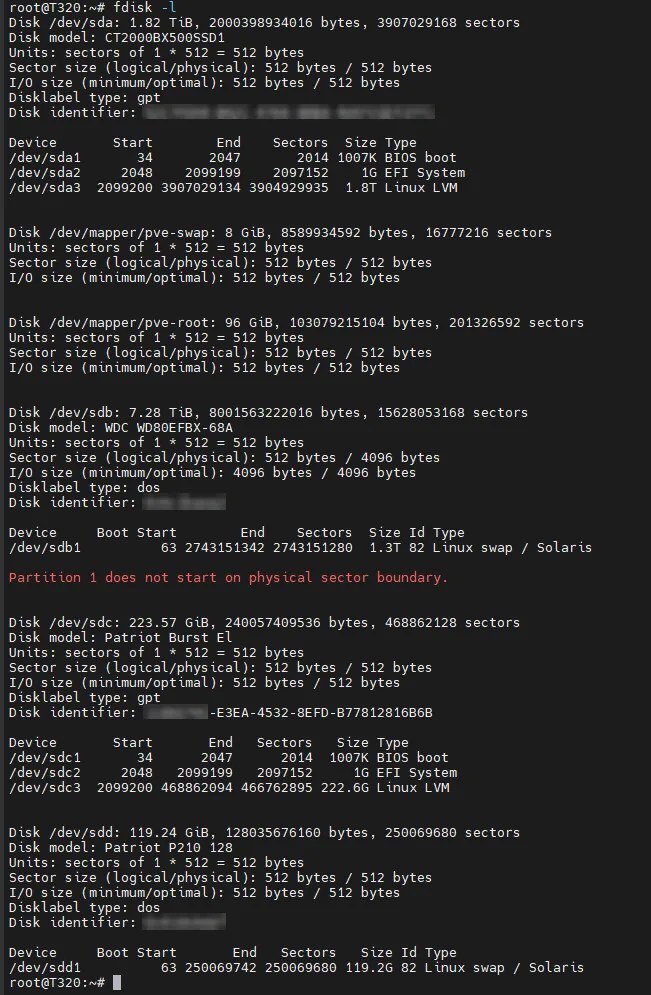
The T320's hot-swap front bays connect to a backplane, and the backplane connects to the Dell RAID (PERC) controller. Switching the onboard SATA mode to AHCI doesn't change that: drives in those bays are only visible as the controller exposes them, as virtual disks or in a non-RAID/pass-through mode. The internal SATA ports are separate, which is why the 2 TB SSD on an internal port was visible directly.
How it's laid out
| Device | Where | Use |
|---|---|---|
| 2 TB SSD | internal SATA | Proxmox + VM disks |
| 240 GB + 120 GB SSD | front bays via PERC | fast tiers (models, cache) |
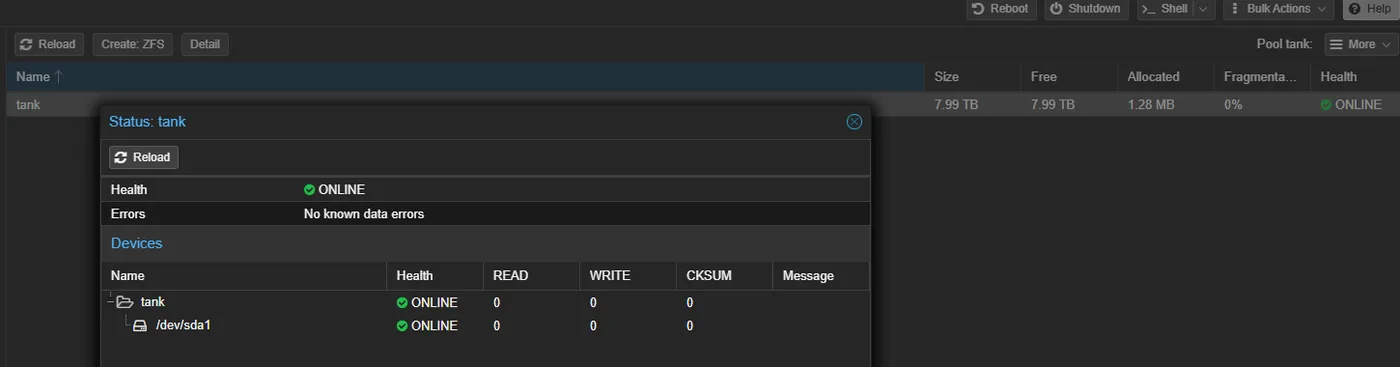
| 8 TB WD Red Plus | front bay | ZFS pool tank: datasets, backups, logs, PCAPs, MISP data |
No redundancy yet. A future HBA in IT mode would give ZFS direct access to the disks, which is what ZFS wants.
Triage: "ATA Error Count increased 0 → 8"
Proxmox mailed a SMART alert for the 240 GB SSD. ATA errors are usually link/communication errors (cable, power, controller hiccup), not dying flash. My checklist:
smartctl -H /dev/sdX          # overall health
smartctl -a /dev/sdX          # reallocated, pending, media errors, CRC count
smartctl -l error /dev/sdX    # the error log entries themselves
smartctl -t long /dev/sdX # full surface test- CRC errors climbing → reseat or replace the SATA cable
- Reallocated or pending sectors climbing → plan the replacement
- A one-time bump that stays flat → note it and monitor
For a new NAS drive, I ran both short and long tests before trusting it with data: both passed, with no errors logged.
Sources: Dell PowerEdge T320 Specs (9 Apr 2026), Utilizing WD Red Plus T320 (5 Apr 2026), SSD ATA Error Troubleshooting (2 Aug 2026), NAS Drive Recommendations (29 Jan 2026), CyberDen master dump