The 60-Second SSH Drop, Part 1: An Unmanaged Switch Bridging Two Networks
Dead VLANs and sub-minute SSH sessions traced with one tcpdump to a home network leaking into the lab, fixed by isolating the lab and moving to a managed switch.
TL;DR
VMs on tagged VLANs were unreachable, and SSH sessions from my admin laptop died within about 60 seconds, except to the Proxmox host. tcpdump on the router showed traffic from my home network (smart TV chatter, mDNS) inside the lab. An unmanaged switch plus a dual-NIC Proxmox host had bridged two networks that should never touch. The fix was physical isolation, then a real managed switch.
The setup
- One mini PC running Proxmox with two NICs: one to the home router (WAN for pfSense), one to the lab switch
- pfSense VM as gateway; VyOS VM routing a handful of VLANs
- An unmanaged 5-port switch connecting the hypervisor, a USB-C dock and my laptop
- Laptop on a static management address; MobaXterm for SSH
Symptoms
- SSH to any VM: connects, then dies in under a minute. SSH to the Proxmox host stays up.
- VMs moved onto their VLANs: unreachable. Earlier tweaks had only made it worse.
- No obvious errors anywhere. Every layer looked "up".
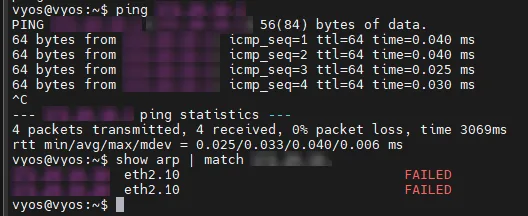
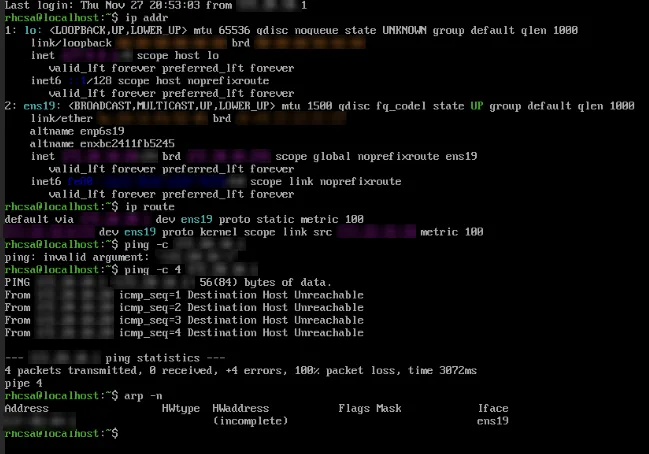
The clue
I ran a capture on VyOS's lab-side interface:
sudo tcpdump -ni eth2It should have shown lab addresses only. It showed home-network addresses, including a TV on the home LAN announcing itself. Lab broadcasts were leaking the other way too.
Root cause
The lab side still had a physical path back to the home network, and Proxmox had both NICs active, with bridges on each that happily switched frames. In effect:
HOME ROUTER ── mini PC (WAN NIC)
                    │  (bridged inside the host)
               mini PC (LAN NIC) ── unmanaged switch ── laptop / dock
Two consequences:
- Two L2 domains became one. Broadcasts, DHCP and ARP from both sides mixed.
- VLANs can't exist on an unmanaged switch. It can't trunk, set PVIDs or isolate VLANs. Some unmanaged switches pass 802.1Q tags through, but you get no guarantees and no control.
The fix
- Physically removed every path between the lab switch and anything on the home network. Only the hypervisor's LAN NIC, the laptop and lab devices plug into the lab switch.
- Re-ran the capture and confirmed only lab addresses remained.
- Bought a managed switch (Zyxel GS1200-8HP) so trunks, PVIDs and VLAN membership are explicit.
- Configured the Zyxel offline first, using a phone hotspot for internet so the switch never touched the home LAN during setup.
Did it fix the drops?
It fixed the VLANs. It didn't fully fix the session drops. Those came back once the lab was properly segmented, and they took two more months and two more wrong theories to kill. → Part 2
Lessons
- Capture before you configure. One tcpdump told me more than an hour of config changes.
- "Up" isn't "isolated". Every interface was up; the design was still wrong.
- An unmanaged switch is a hub with better manners. If the design depends on VLANs, the switch has to understand them.
Sources: SSH session persistence fix (28 Nov 2025), Add zyxel switch setup (30 Nov 2025)