A GPU Local-AI Lab on an External NTFS SSD (Docker on a Sparse ext4 Image)
Containers and models on an external drive without reformatting it: Docker's data root inside a sparse ext4 image, GPU in containers, measured tokens/sec.
Goal
Run local models on the workstation's RTX 3070 (8 GB) and keep the internal NVMe clean: models, containers, RAG data and datasets all on an external 1 TB NVMe. That SSD already held data on NTFS, and I didn't want to wipe it.
Layout
/mnt/rev-ssd/ai-lab/
├── models/  agents/  rag/  datasets/  training/  evals/
├── logs/    backups/ config/
└── docker-storage.ext4 ← 100 GB sparse ext4 image- The SSD mounts with
ntfs-3g(the in-kernelntfs3mount failed on this disk) docker-storage.ext4is loop-mounted at/mnt/ai-docker- Docker's
data-rootand containerd'srootboth point inside it
Why a sparse image
Docker's overlay storage needs a real Linux filesystem: permissions, xattrs, overlayfs. NTFS can't give it that. A sparse ext4 image only uses the blocks it has written, so "100 GB" costs nothing until it fills, and all of Docker's state lives in one file I can back up or move.
truncate -s 100G /mnt/rev-ssd/ai-lab/docker-storage.ext4
mkfs.ext4 /mnt/rev-ssd/ai-lab/docker-storage.ext4
sudo mount -o loop /mnt/rev-ssd/ai-lab/docker-storage.ext4 /mnt/ai-docker
# /etc/docker/daemon.json → { "data-root": "/mnt/ai-docker/docker" }
# containerd config.toml   → root = "/mnt/ai-docker/containerd"
GPU in containers
With the NVIDIA Container Toolkit:
sudo docker run --rm --gpus all nvidia/cuda:12.9.1-base-ubuntu24.04 nvidia-smishowed the RTX 3070 on driver 580.x. Then Ollama and Open WebUI through Docker Compose: Ollama on 127.0.0.1:11434 with models stored on the SSD, and Open WebUI on localhost:3000 with its data inside the ext4 image.
Results
| Model | Size on disk | Result |
|---|---|---|
| Qwen3 8B (abliterated) | ~5 GB | fits fully in VRAM |
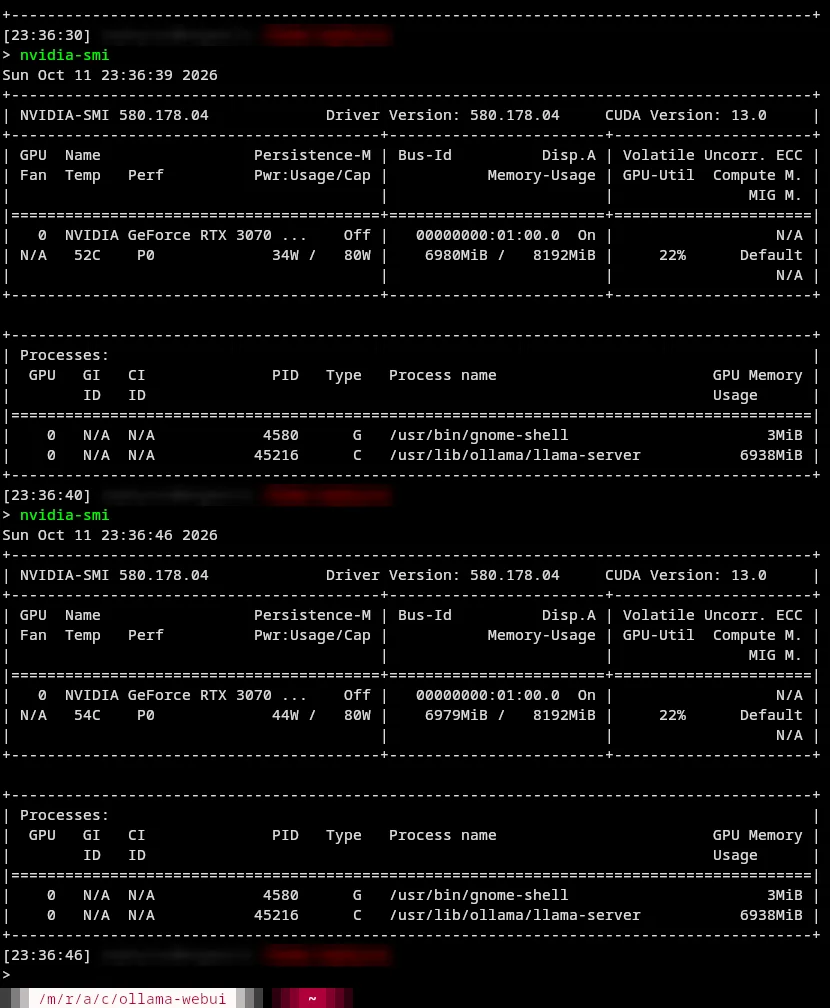
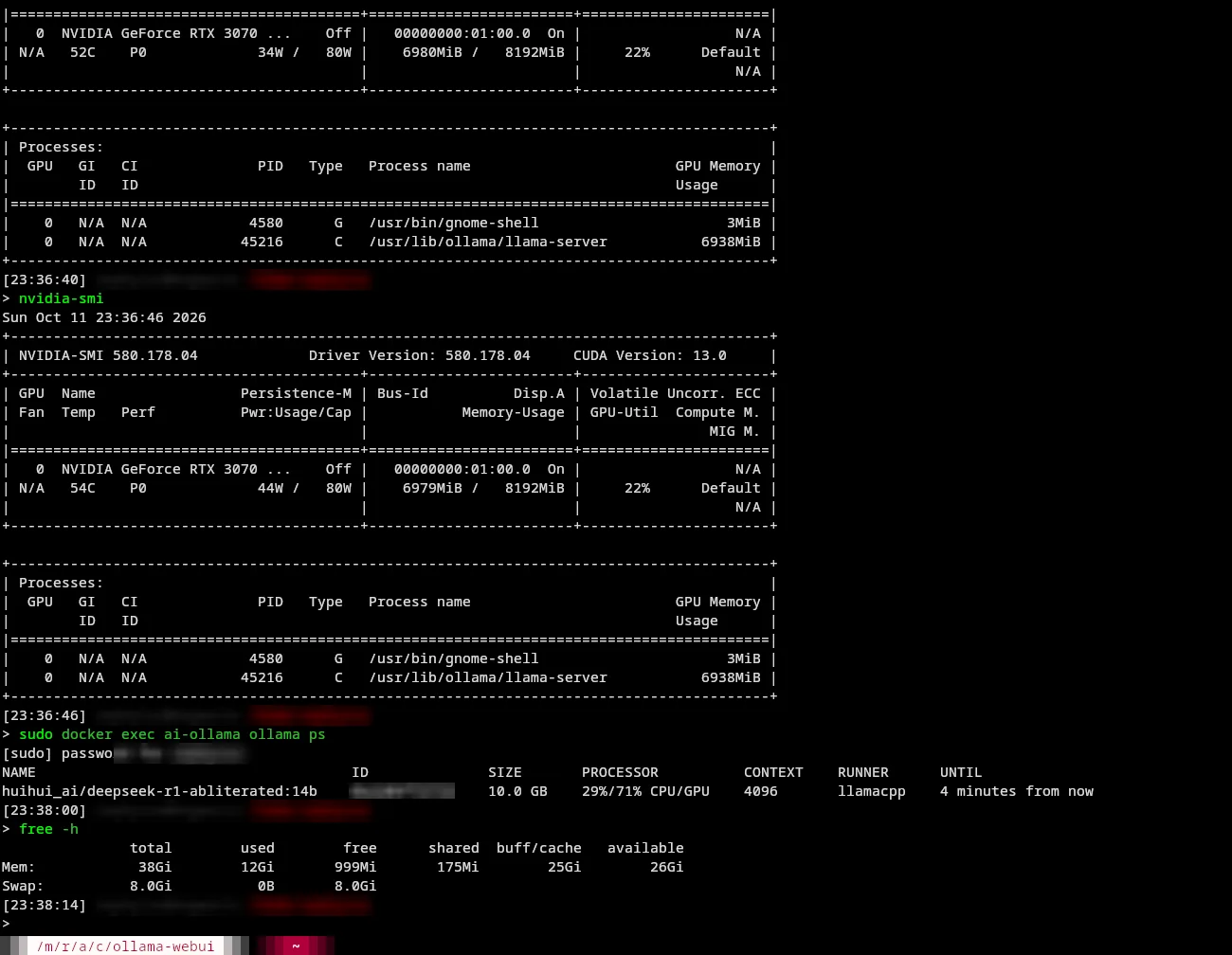
| DeepSeek-R1 14B (abliterated) | ~9 GB | ~10.4 tok/s, ~71% GPU / 29% CPU split |
Takeaway: on an 8 GB card, 4B–9B quantized models are the sweet spot. Anything bigger works, but slowly.
Operational choices
- Docker and containerd are disabled at boot. The lab starts when I want it, not on every login.
- One command brings the stack up or down.
- It survived a reboot: the image remounted and every container and model came back without reformatting.
- Open item: make the SSD mount reliable at boot without fighting GNOME's automounter.
Sources: Build Local AI Lab (12 Oct 2026)